TC10 Sleep & Wake-up Demo (NXP)
Demonstrate OPEN Alliance TC10 Sleep and Wake-up power-saving functionality on automotive 100BASE-T1 networks using NXP TJA1101 PHYs and the PHY Control NXP utility.
Before you begin
Requirements
For this demonstration, we recommend using an FC602 USB 100BASE-T1 Stick or FC612 USB 100BASE-T1 Stick Raw equipped with the NXP TJA1101B PHY.
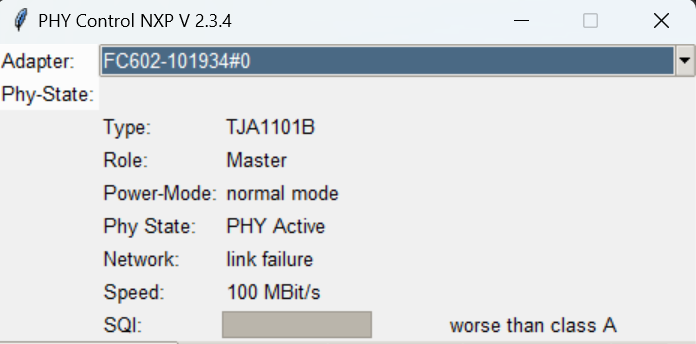
The NXP TJA1101A supports basic sleep/wake-up transitions in most setups, whereas the TJA1101B provides full compliance with the OPEN Alliance TC10 specification.
To check which TJA1101 revision is installed on your FC602 USB 100BASE-T1 Stick or FC612 USB 100BASE-T1 Stick Raw, inspect the Type field in PHY Control NXP:
Download
Download the PHY Control NXP software package phy_control_nxp_Vxx_xx_xx.zip and extract the archive.
For general register access, Master/Slave configuration, and cable diagnostics, see the PHY Register Control (NXP TJA1101) guide.
Upon power-up, the NXP TJA110x is not pre-configured for TC10 operation by default. Use the Python GUI described below to enable OPEN Alliance TC10 mode.
Sleep/Wake-up Demo
This walkthrough demonstrates two complete Sleep/Wake-up cycles across both clock roles:
- Master → SLEEP/WAKE-UP → Slave
- Slave → SLEEP/WAKE-UP → Master
Hardware Setup
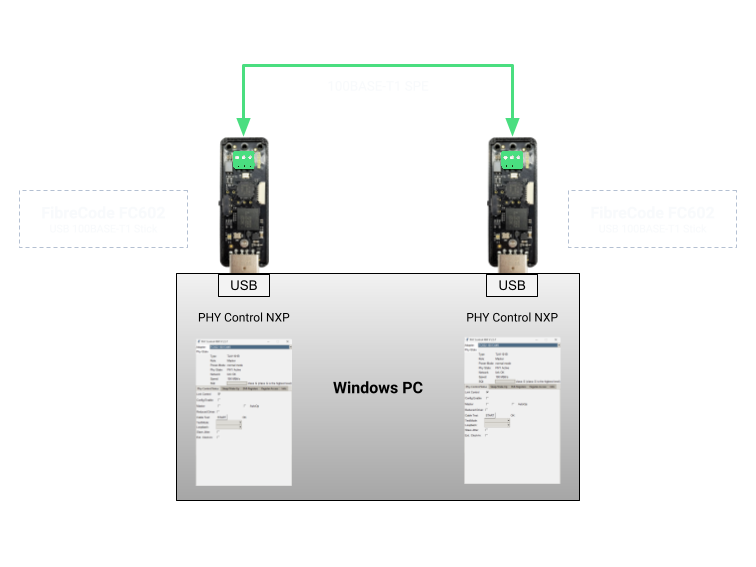
In this setup, two FC602 USB 100BASE-T1 Sticks are connected point-to-point on the same host. Ensure that one device is configured as Master and the partner device as Slave, and verify that the physical link is active (link OK):
Enable TC10 Functionality
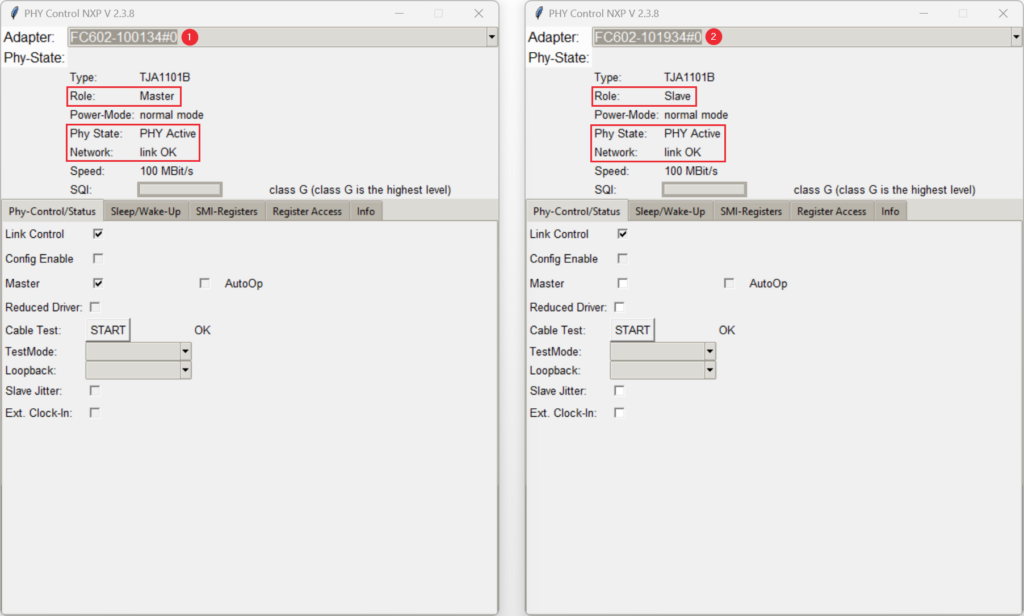
- Launch two instances of PHY Control NXP, select one connected stick in each window, and verify the Master/Slave role and link status:
- Activate Config Enable on both devices to unlock register write access:
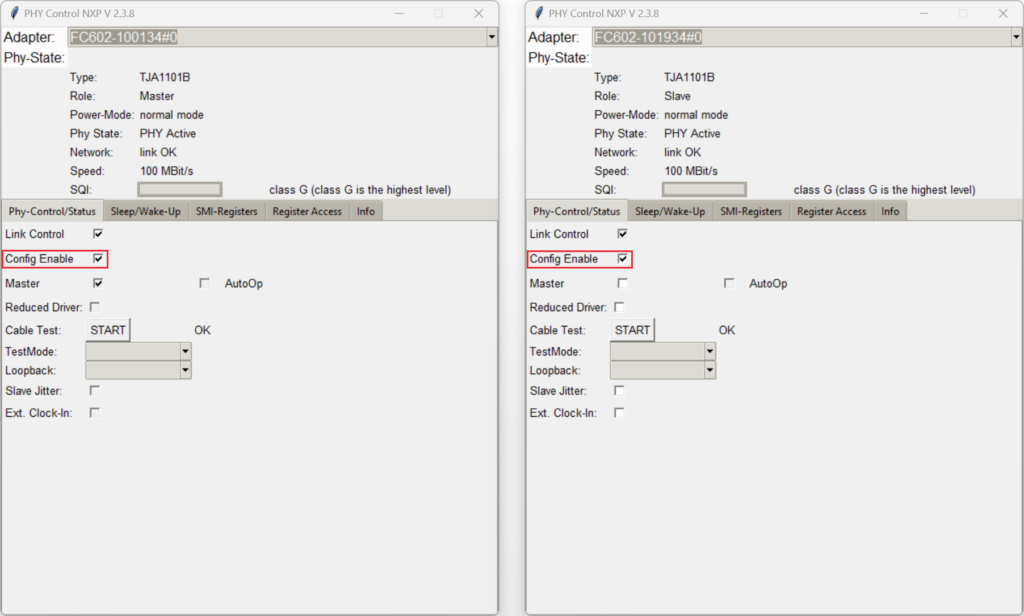
-
Decide whether autonomous (
AutoOpenabled) or host-controlled (AutoOpdisabled) wake-up behavior is required. Enabling AutoOp allows the NXP TJA110x state machine to transition automatically to normal operation and re-enable the link upon receiving a wake-up pulse. In the first two scenarios below, AutoOp is enabled on the device being woken up. -
Switch to the Sleep/Wake-Up tab and enable Config TC-10 on both devices:
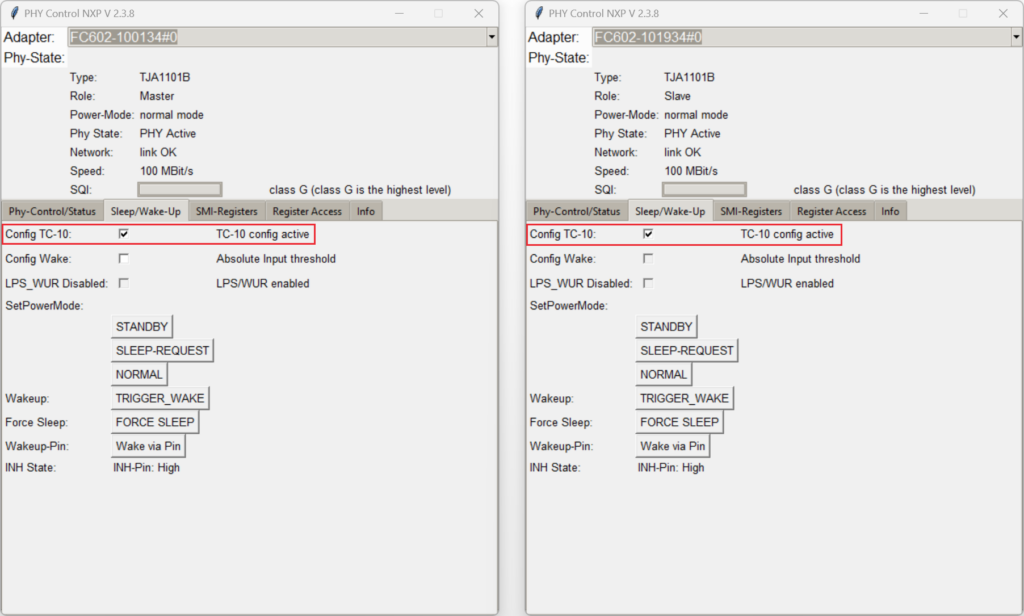
Once Config TC-10 is enabled, both NXP TJA110x transceivers operate according to the OPEN Alliance TC10 specification for 100BASE-T1 sleep and wake-up signaling.
Controlling SLEEP/WAKE-UP from the Master Device
On the Slave device:
Enable AutoOp so the Slave transitions automatically to normal operation after receiving a wake-up request:
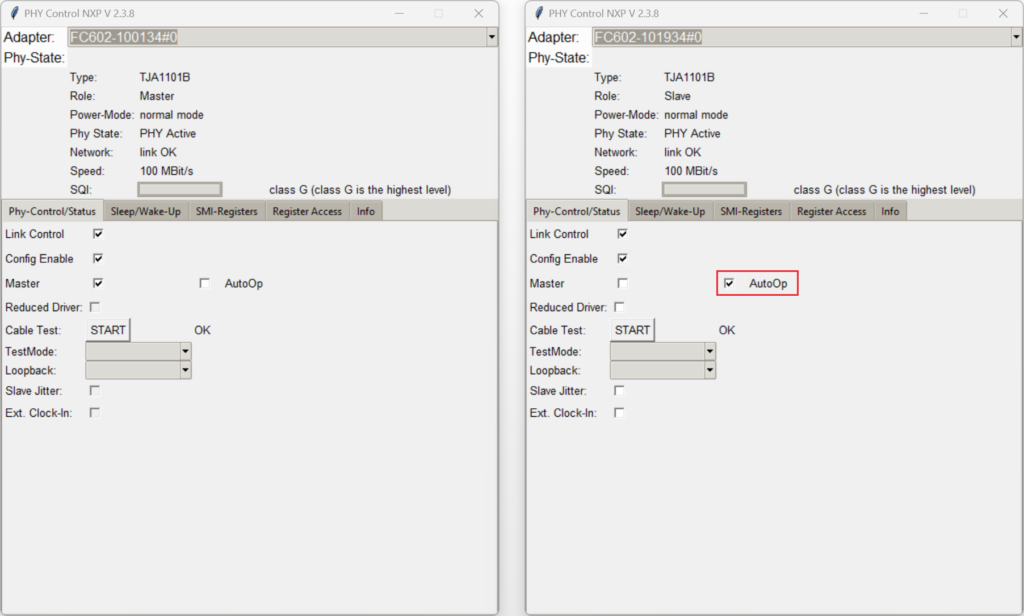
On the Master device:
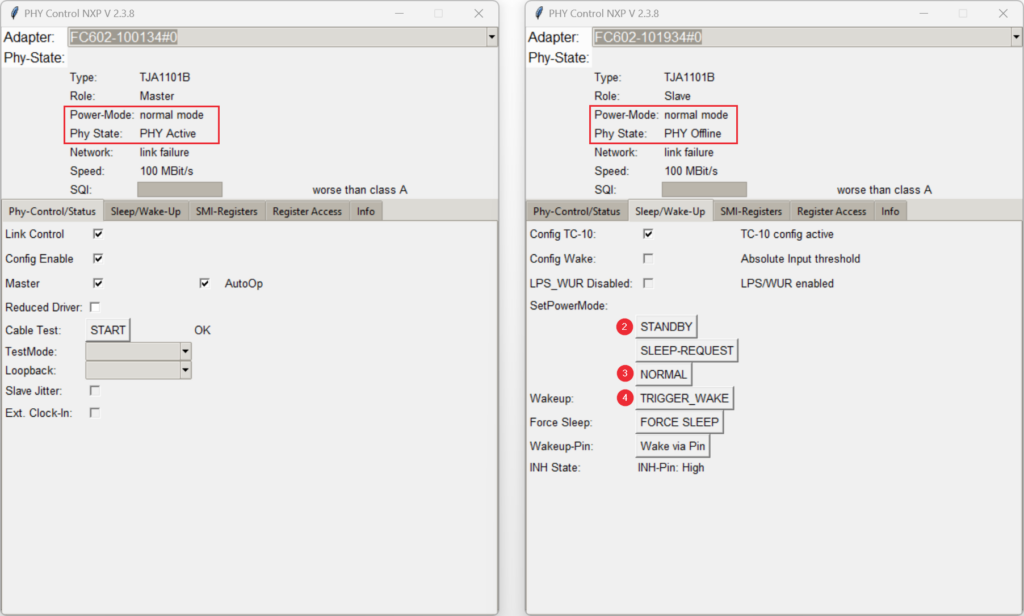
- Click SLEEP-REQUEST under
SetPowerMode. Both devices negotiate sleep mode (sleep mode) and the physical link goes down:
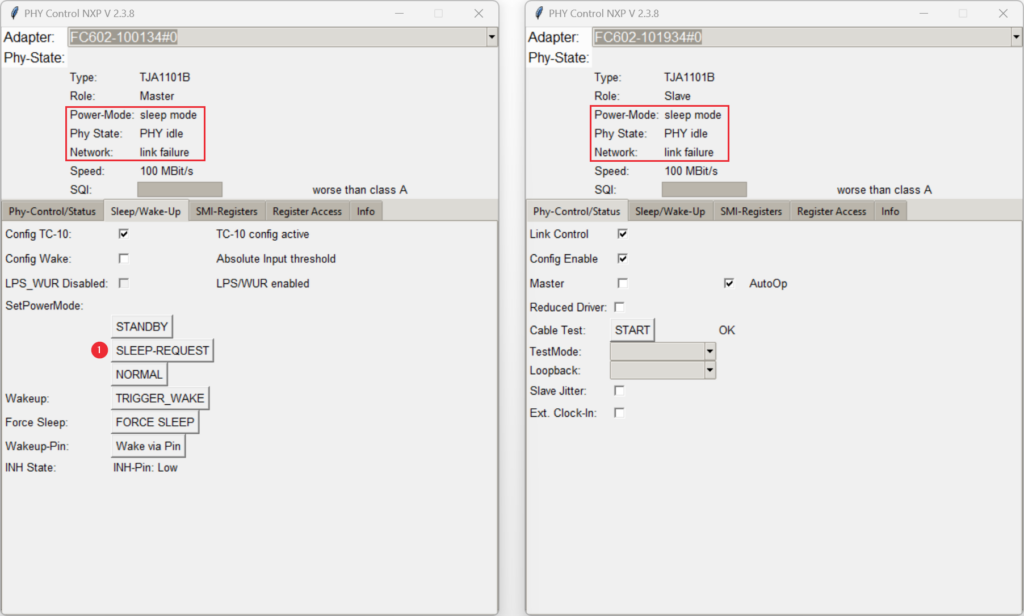
- Set the Master PHY to STANDBY mode.
- Set the Master PHY to NORMAL mode.
- Click TRIGGER_WAKE to transmit a wake-up pulse (WUP) over the twisted-pair line to wake the Slave device:
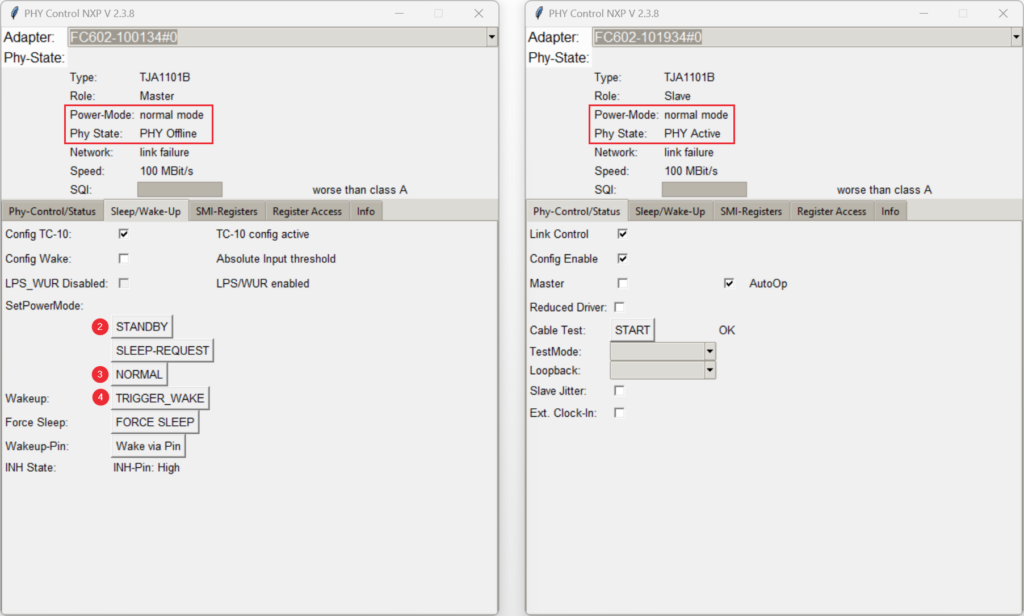
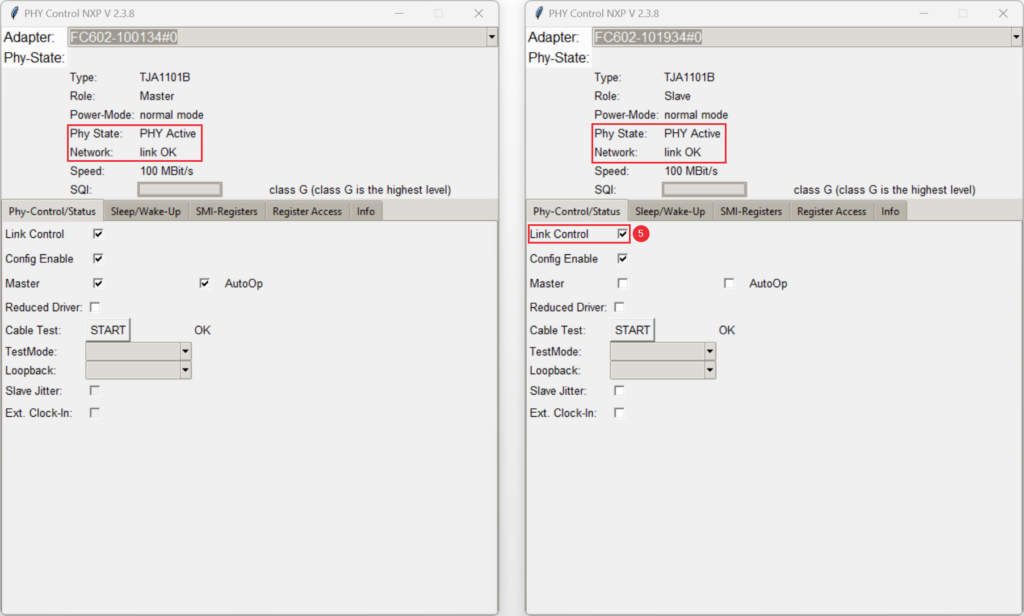
- Enable Link Control on the Master device to re-establish the link (on the Slave device, Link Control is enabled automatically because AutoOp is active):
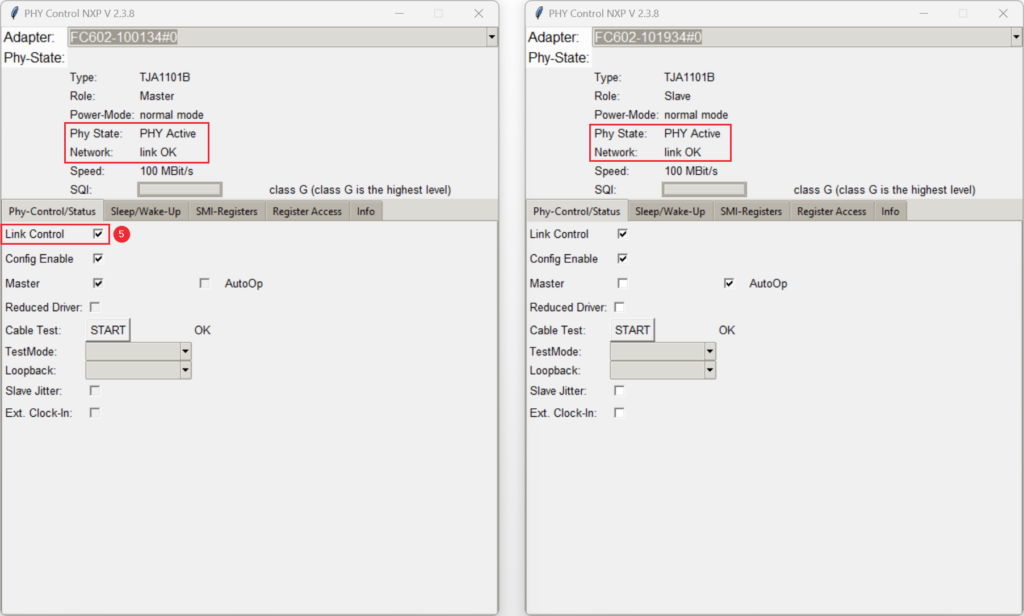
Controlling SLEEP/WAKE-UP from the Slave Device
You can perform the same sequence in the opposite direction, initiating sleep and wake-up from the Slave device.
On the Master device:
Enable AutoOp so the Master transitions automatically to normal operation after wake-up:
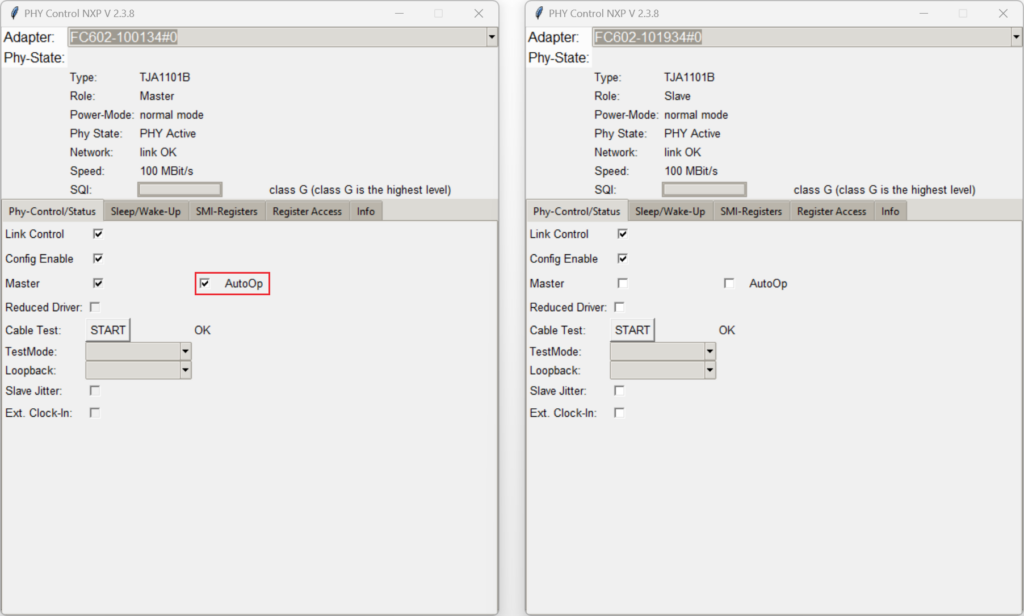
On the Slave device:
- Click SLEEP-REQUEST under
SetPowerMode. Both devices enter sleep mode and the physical link is disabled:
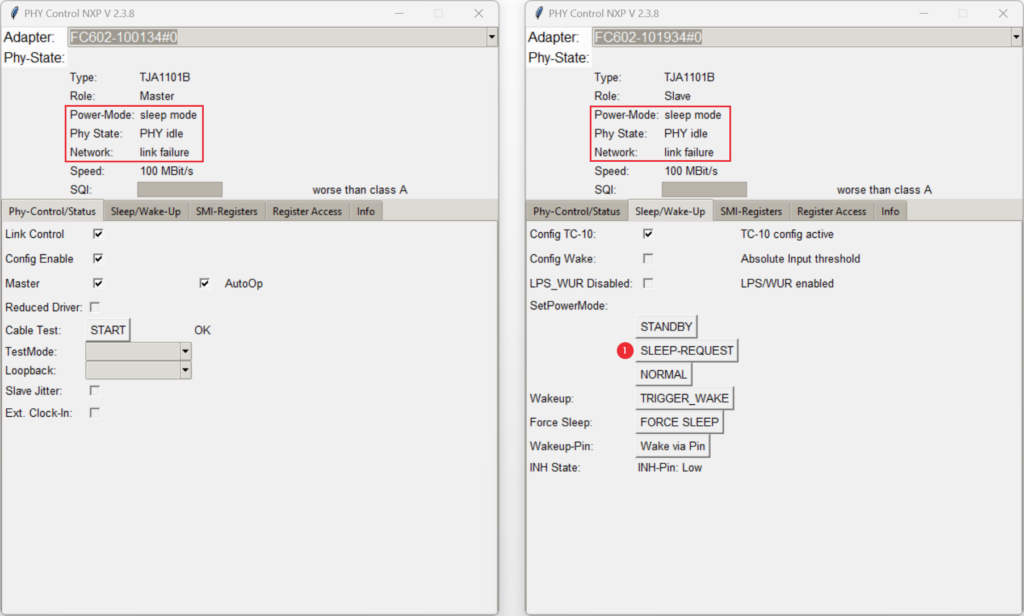
- Set the Slave PHY to STANDBY mode.
- Set the Slave PHY to NORMAL mode.
- Click TRIGGER_WAKE to wake the Master device:
- Enable Link Control on the Slave device to restore the link (on the Master device, Link Control is enabled automatically because AutoOp is active):
SLEEP/WAKE-UP without AutoOp (Manual Host Control)
To test host-controlled state transitions, leave AutoOp disabled on both devices:
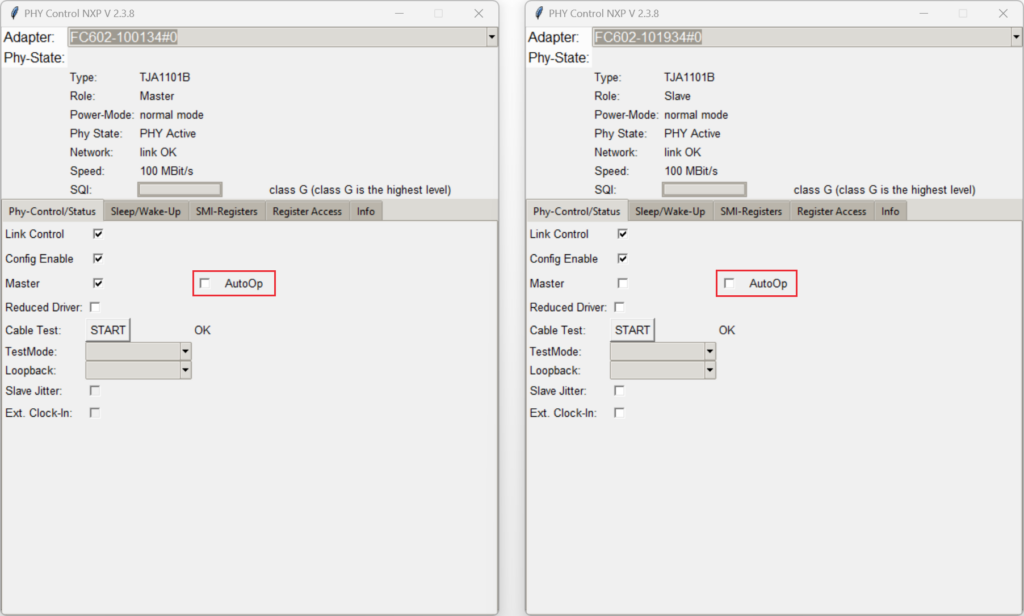
On the Master (or Slave) device:
- Click SLEEP-REQUEST. Both devices enter sleep mode and the link is disabled:
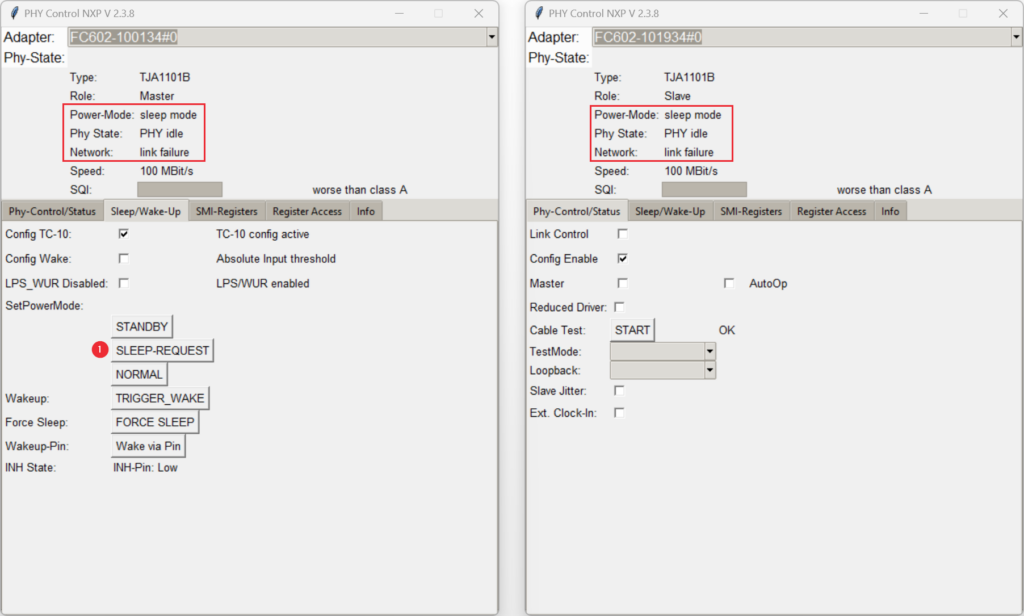
- Set the initiating PHY to STANDBY mode.
- Set the initiating PHY to NORMAL mode.
- Click TRIGGER_WAKE to wake the partner device (which transitions from
sleep modeintostandby mode):
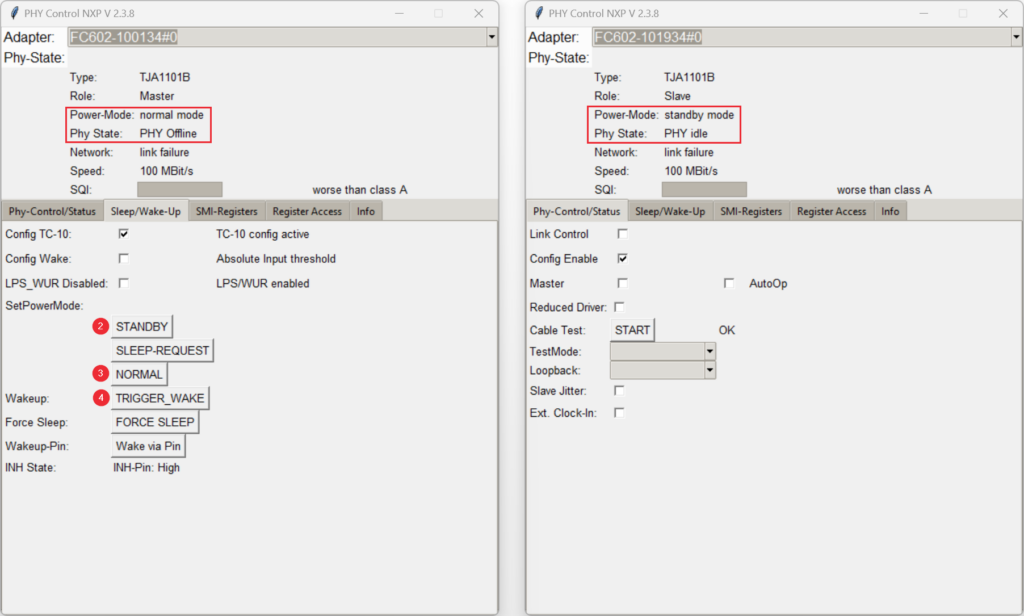
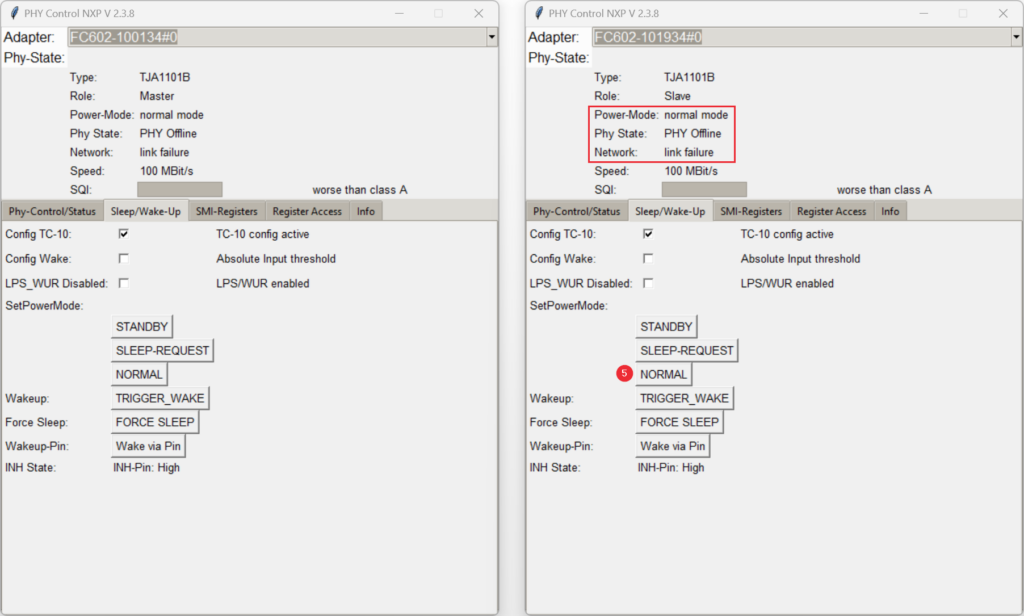
- Because AutoOp is disabled, manually set the woken partner PHY from
standby modeto NORMAL mode:
- Enable Link Control on the Master device.
- Enable Link Control on the Slave device (with AutoOp disabled, Link Control must be enabled manually on both sides):