
Static IP Configuration
Before establishing an automotive Ethernet point-to-point link or pinging a partner device, configure a static IPv4 address on your host adapter.
Before you begin
Connect Hardware
Plug your FC602 (100BASE-T1) or FC621 (10BASE-T1L) stick into your computer's USB port, and connect the automotive SPE cable to your partner device.
Configure Static IP
Select your operating system and preferred configuration method below:
- Open Windows Network & Internet Settings and find the FibreCode CDC-ECM adapter:
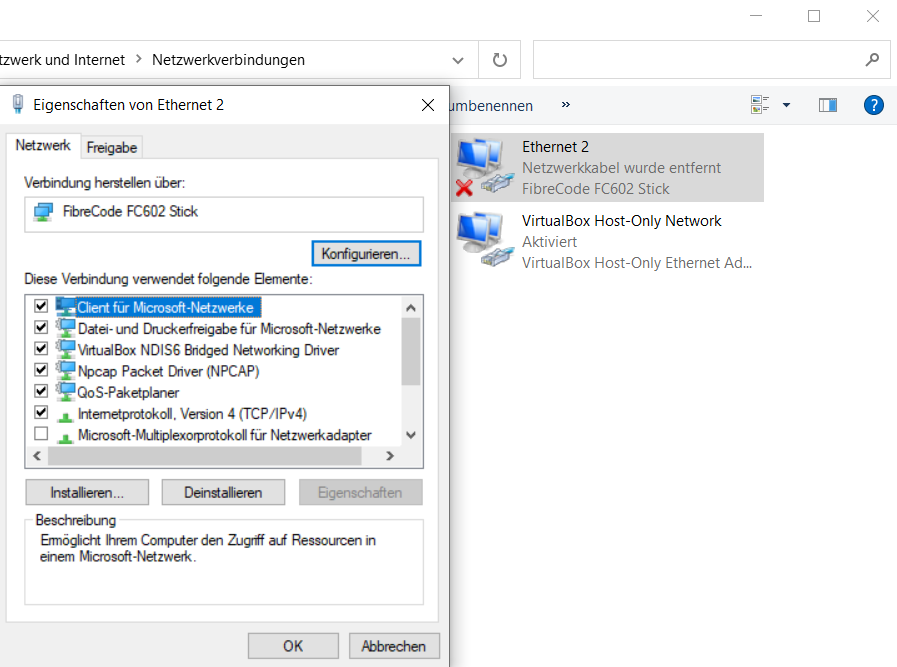
- Open Properties and click Edit under IP assignment (or IPv4 Properties):
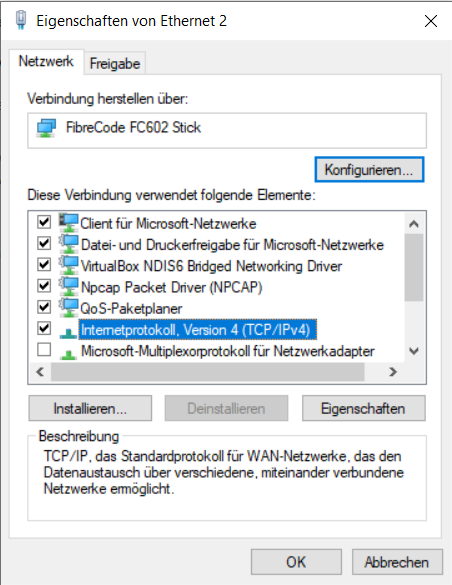
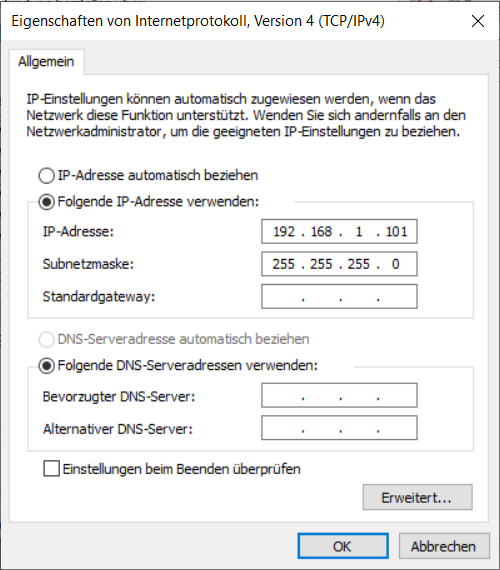
- Set IP assignment to Manual, enable IPv4, and enter your static IP and Subnet mask (e.g.,
192.168.1.10/255.255.255.0):
Open PowerShell as Administrator for fast scripted setup:
- Locate the FibreCode network adapter:
Get-NetAdapter | Where-Object { $_.InterfaceDescription -like "*FibreCode*" }
- Assign static IP address and subnet mask (e.g.
192.168.1.10/ Prefix24):
New-NetIPAddress -InterfaceAlias "Ethernet 2" -IPAddress 192.168.1.10 -PrefixLength 24
- Verify active configuration:
Get-NetIPAddress -InterfaceAlias "Ethernet 2" -AddressFamily IPv4
- Open Ubuntu / Desktop Network Settings and select the USB Ethernet adapter:
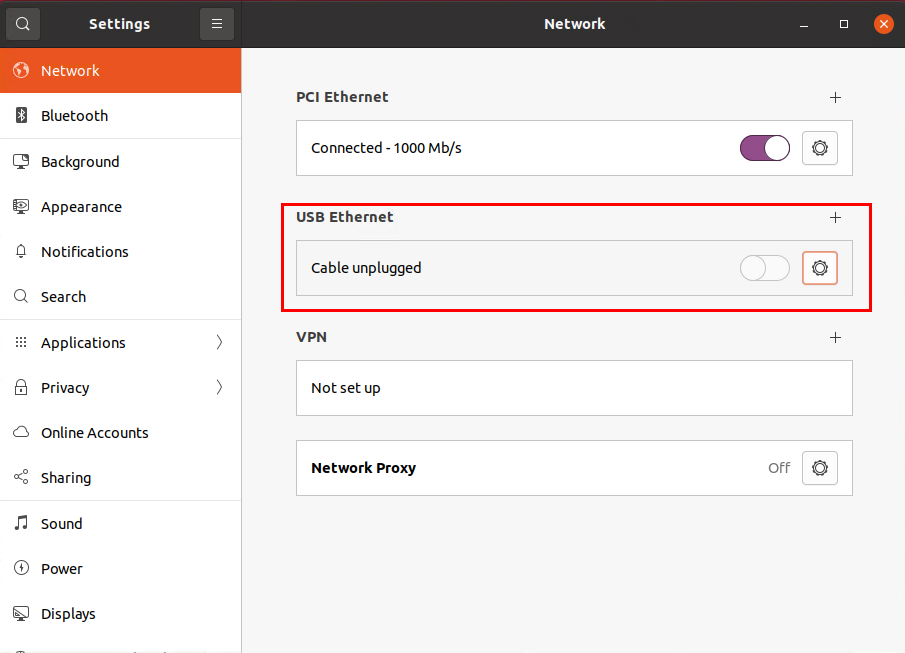
- Open the adapter configuration dialog:
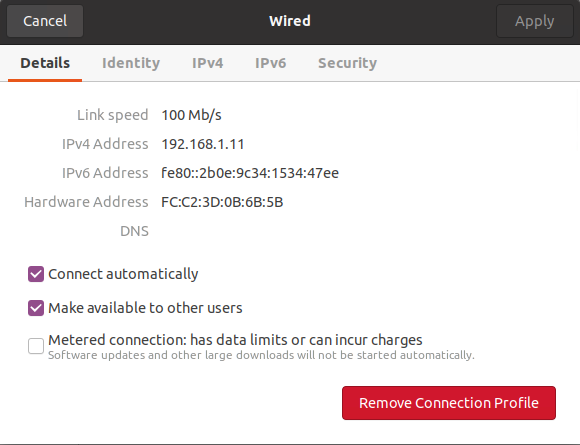
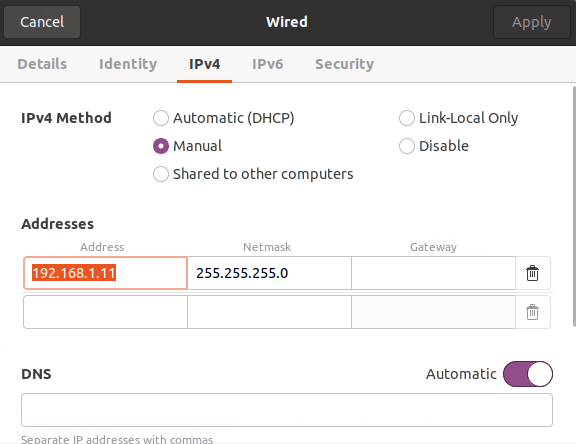
- Navigate to IPv4, switch method to Manual, and enter the static IP address and netmask:
For headless systems, Raspberry Pi, or automated test rigs:
- Identify the network interface name:
ip -br -c link show
Expected output:
lo               UNKNOWN        00:00:00:00:00:00
enxfcc23d0b6b5b  UP             fc:c2:3d:0b:6b:5b
- Flush any existing IP configuration:
sudo ip addr flush dev enxfcc23d0b6b5b
- Assign the new static IP address and subnet:
sudo ip addr add 192.168.1.102/24 dev enxfcc23d0b6b5b
sudo ip link set enxfcc23d0b6b5b up
- Verify link and IP status:
ip addr show dev enxfcc23d0b6b5b
Expected output:
3: enxfcc23d0b6b5b: <BROADCAST,MULTICAST,UP,LOWER_UP> mtu 1500
    qdisc fq_codel state UP group default qlen 1000
    link/ether fc:c2:3d:0b:6b:5b brd ff:ff:ff:ff:ff:ff
    inet 192.168.1.102/24 brd 192.168.1.255 scope global enxfcc23d0b6b5b
       valid_lft forever preferred_lft forever
Note
The FC612 and FC631 Raw Sticks do not install an OS network device. Instead, Broadway2 raw APIs provide direct Layer-2 Ethernet frame streaming. See the Packet Capture & Replay (StreamTo) guide for details.