
Ping Link Verification
Verify physical link connectivity and test basic network communication using ICMP ping between your host and partner device.
Before you begin
Connect FibreCode Sticks to Host
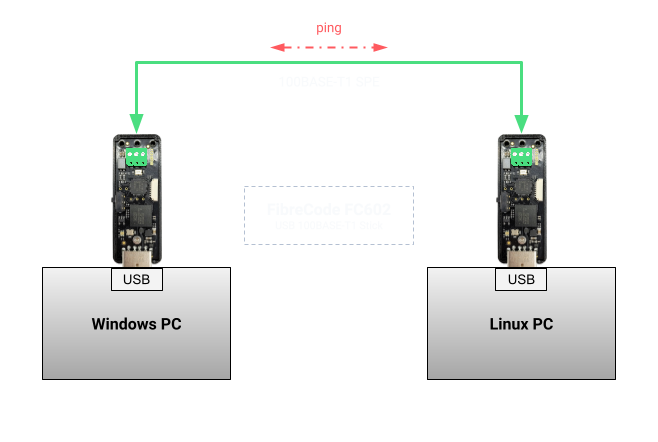
In this example, two FC602 USB 100BASE-T1 Sticks (or FC621 USB 10BASE-T1L Sticks) are connected point-to-point between a Windows host and a Linux host:
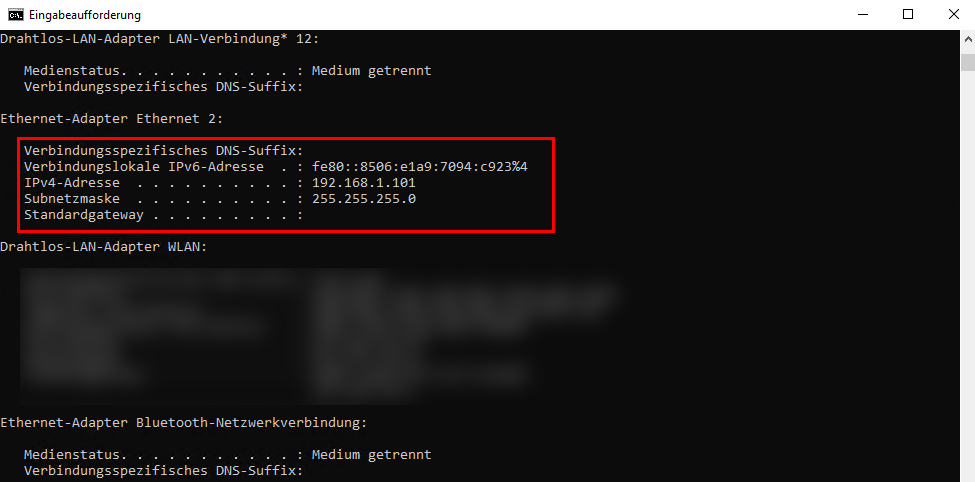
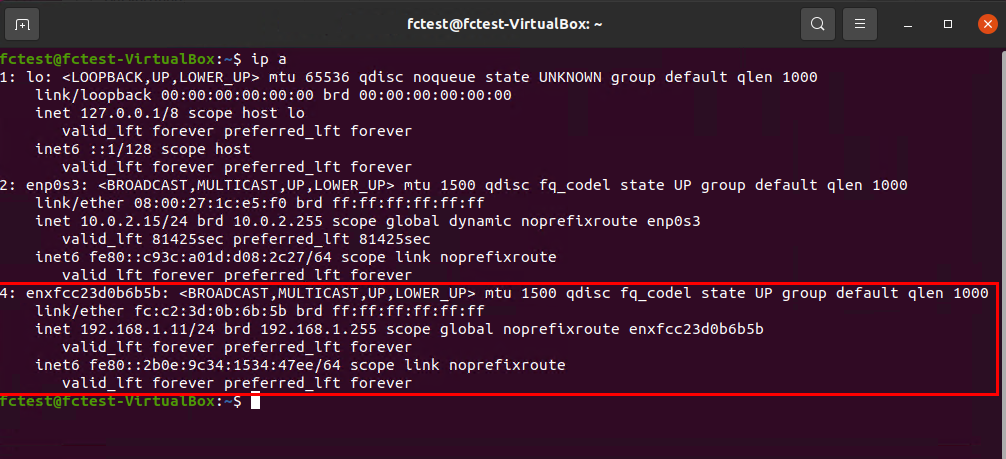
Verify that both network interfaces are configured with static IPv4 addresses on the same subnet:
ipconfig
ip addr show
Ping Command
Run in Windows Command Prompt:
ping 192.168.1.11
Expected terminal output:
Pinging 192.168.1.11 with 32 bytes of data:
Reply from 192.168.1.11: bytes=32 time<1ms TTL=64
Reply from 192.168.1.11: bytes=32 time<1ms TTL=64
Reply from 192.168.1.11: bytes=32 time<1ms TTL=64
Reply from 192.168.1.11: bytes=32 time<1ms TTL=64

Ping statistics for 192.168.1.11:
    Packets: Sent = 4, Received = 4, Lost = 0 (0% loss),
Approximate round trip times in milli-seconds:
    Minimum = 0ms, Maximum = 0ms, Average = 0ms
Run in Linux Terminal:
ping -c 4 192.168.1.101
Expected terminal output:
PING 192.168.1.101 (192.168.1.101) 56(84) bytes of data.
64 bytes from 192.168.1.101: icmp_seq=1 ttl=128 time=0.485 ms
64 bytes from 192.168.1.101: icmp_seq=2 ttl=128 time=0.312 ms
64 bytes from 192.168.1.101: icmp_seq=3 ttl=128 time=0.298 ms
64 bytes from 192.168.1.101: icmp_seq=4 ttl=128 time=0.305 ms

--- 192.168.1.101 ping statistics ---
4 packets transmitted, 4 received, 0% packet loss, time 3072ms
rtt min/avg/max/mdev = 0.298/0.350/0.485/0.078 ms