
PHY Register Control (ADI ADIN1100)
PHY Control ADI is a graphical Python utility providing direct register-level access to the Analog Devices ADIN1100 Single Pair Ethernet (10BASE-T1L) PHY. It enables configuring Master/Slave clock modes, transmit amplitude levels, loopback modes, compliance test patterns, and real-time link diagnostics.
Hardware Compatibility: This utility is designed for 10BASE-T1L devices with the Analog Devices ADIN1100 PHY (FC621, FC631, and custom boards via FC401).
For 100BASE-T1 devices with NXP TJA110x PHYs (FC602, FC612), see the PHY Register Control (NXP TJA1101) guide.
Before you begin
- Broadway2 Driver & Software Setup
- Supported FibreCode Hardware: Ensure at least one compatible 10BASE-T1L device is connected to your host:
Download Software Package
Download phy_control_adi_Vxx_xx_xx.zip and extract the archive.
Directory structure of the extracted package:
phy_control_adi_Vxx_xx_xx/
├── phy_control_adi.py       # Main GUI control application
└── adi/                     # ADIN1100 register definitions & driver modules
    ├── __init__.py
    ├── adi_adin1100.py
    └── phy_adin1100.py
Launch PHY Control ADI
Navigate to the extracted directory and start the application:
Run from the command line or double-click phy_control_adi.py in Windows File Explorer:
python phy_control_adi.py
sudo python3 phy_control_adi.py
The application window appears:
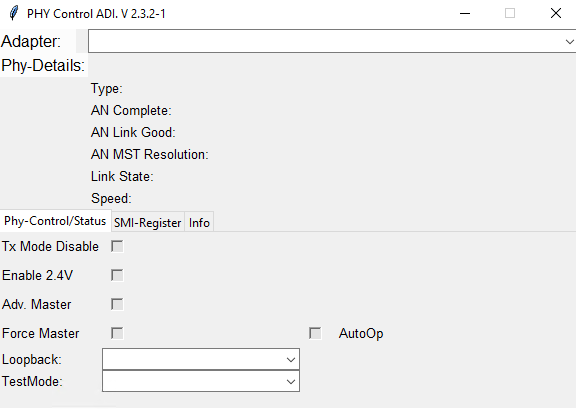
Connect & Select Device
Select your connected FibreCode adapter from the Adapter drop-down menu at the top:
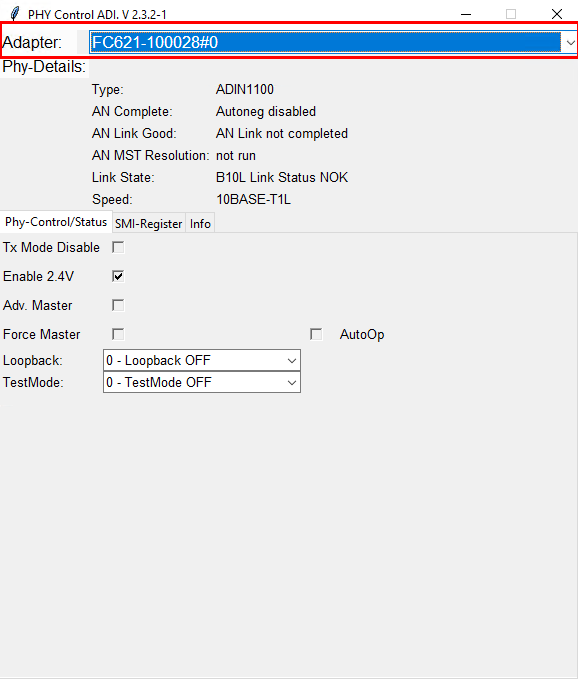
Once an adapter is selected, the application queries the PHY and populates the Phy-Details overview in real time:
- Type: Detected PHY transceiver model (e.g.
ADIN1100). - AN Complete: Autonegotiation status (
Autoneg completeorAutoneg disabled). - AN Link Good: Autonegotiation link status confirmation (
AN Link goodorAN Link not completed). - AN MST Resolution: Master/Slave clock resolution outcome (
Master,Slave, ornot run). - Link State: Physical layer link indicator (
B10L Link Status OKwhen connected, orNOKwhen link is down). - Speed: Active link operating speed (
10BASE-T1Lfull duplex, 10 Mbit/s).
Supported Operating Modes
PHY Control ADI communicates with the PHY via the unified Broadway2 API across different hardware topologies:
- FC621 USB 10BASE-T1L Stick: Perform register-level PHY configuration alongside active CDC-ECM host networking.
- FC631 USB 10BASE-T1L Stick Raw: Perform register-level PHY configuration alongside nanosecond-timestamped raw packet streaming.
- FC401 USB SMI/SPI Adapter: Directly access the external ADIN1100 MDIO/MDC (SMI) bus on custom electronic control units or prototype boards.
PHY Configuration & Diagnostics
The interface provides three dedicated configuration and diagnostics tabs:
PHY Control & Status
The Phy-Control/Status tab provides direct control over key ADIN1100 transceiver parameters:
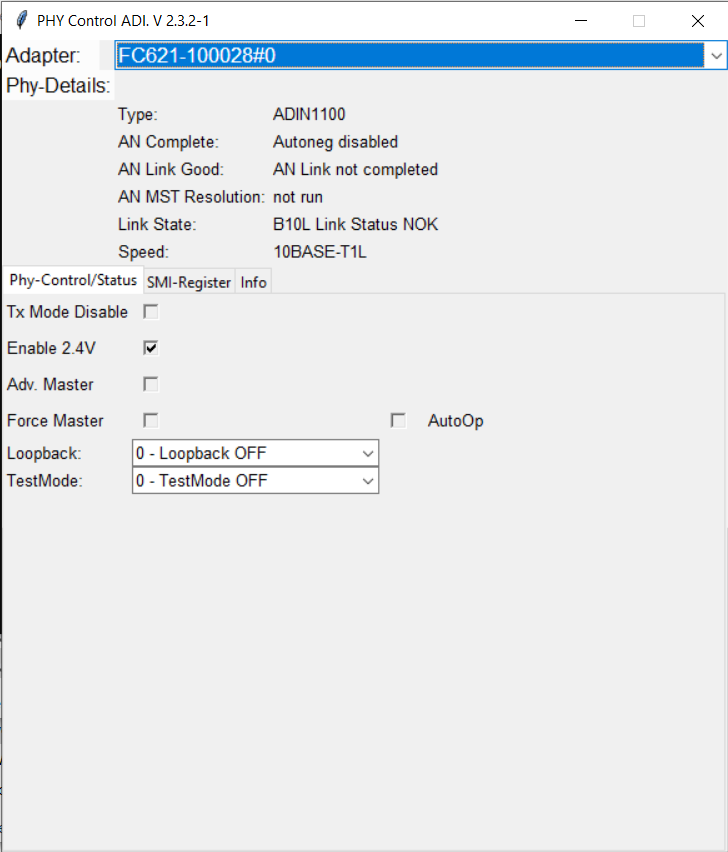
- Enable 2.4V: Toggles between 1.0 Vpp (standard reach / intrinsically safe) and 2.4 Vpp transmit voltage amplitude for long-reach cables (up to 1000 m).
- Adv. Master / Force Master: Configure IEEE 802.3cg Master/Slave clock roles via Autonegotiation advertisement (
Adv. Master) or manual override (Force Master). - Tx Mode Disable: Disables the transmitter output for quiet-mode listening or EMC emissions measurements.
- AutoOp: Enables autonomous PHY operation mode without host state machine polling.
- Loopback: Select internal or external PMA loopback modes to verify host-to-PHY communication without requiring an active link partner.
- TestMode: Generate standardized IEEE 802.3cg compliance test waveforms (e.g. transmit jitter, droop, and clock output).
SMI Registers
The SMI-Register tab exposes all IEEE 802.3cg Clause 45 MDIO/MDC registers organized by MMD (MDIO Manageable Device) address:
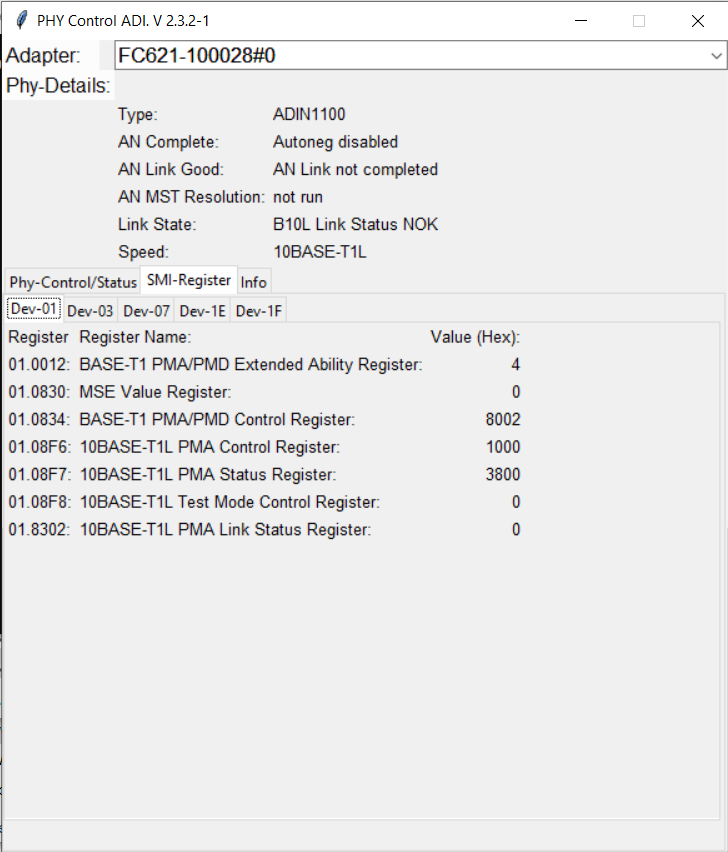
Switch between the MMD tabs (Dev-01, Dev-03, Dev-07, Dev-1E, Dev-1F) to inspect raw register values in hexadecimal notation:
- Dev-01 (PMA/PMD): Core physical layer registers, including
01.0012(PMA Extended Ability),01.0830(MSE - Mean Square Error signal quality),01.0834(PMA/PMD Control),01.08F6(10BASE-T1L PMA Control), and01.8302(Link Status). - Dev-03 (PCS): Physical Coding Sublayer status, fault detection, and jabber monitoring.
- Dev-07 (Autonegotiation): Autonegotiation advertisement, link partner capabilities, and expansion registers.
- Dev-1E / Dev-1F (Vendor Specific): Analog front-end settings, proprietary diagnostic registers, and LED configuration.
Device Info
The Info tab queries the internal Broadway hardware descriptor and displays persistent factory and runtime parameters:
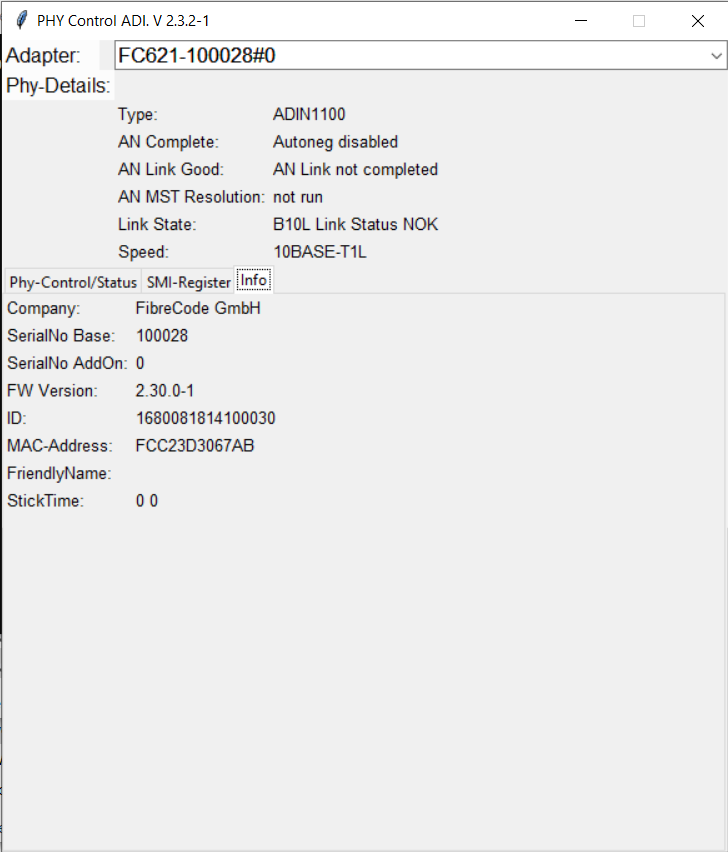
Displays the hardware serial number (SerialNo Base), firmware version (FW Version), silicon identifier (ID), factory IEEE MAC address (MAC-Address), and user-assigned Friendly Name (configured via FC-Control).